You do not need to be on camera to make UGC videos that convert. Faceless creators post some of the best-performing content on TikTok and Reels every day, using screen recordings, AI presenters, voiceovers and text on screen instead of their own face. This post covers the formats that actually work, how to give a video a human hook without filming yourself, and how to ship a week of them in an afternoon.
Can you make UGC videos without showing your face?
Yes. User-generated content is a style, not a requirement to appear on camera. What makes a video read as UGC is that it feels like a real person discovered your product and reacted to it, not that a specific human face is visible the whole time. You can deliver that feeling with a screen recording, an AI persona, a voiceover, or text on screen.
The reason faceless works is that short-form algorithms reward watch time and completion, and those come from a strong hook and a clear payoff, not from your identity. If the first half second earns attention and the next few seconds pay it off, the video performs. Your face is optional. The hook and the payoff are not.
The faceless UGC formats that actually work
There is no single faceless format. There are several, and each suits a different product and comfort level. The table below breaks down the main ones, what they are, and when to reach for each.
| Format | What it is | Best for | Your face needed |
|---|---|---|---|
| Screen recording + voiceover | A capture of your product with narration over it | SaaS and apps with a visual product | No |
| AI persona reaction | An AI presenter reacts, then cuts to your product | Any product that benefits from a human hook | No |
| Slideshow | An image carousel with text, swiped through | Listicles, tips, before-and-after | No |
| Text-on-screen | A talking-style script rendered as on-screen text | Hot takes, story-driven hooks | No |
| Hands or POV | Close-up hands using the product, no face | Physical products and demos | No |
Most faceless creators mix two or three of these rather than committing to one. A screen recording carries the substance, and a persona or a strong text hook gives it the human opening that stops the scroll.
Why a reaction hook beats a plain screen recording
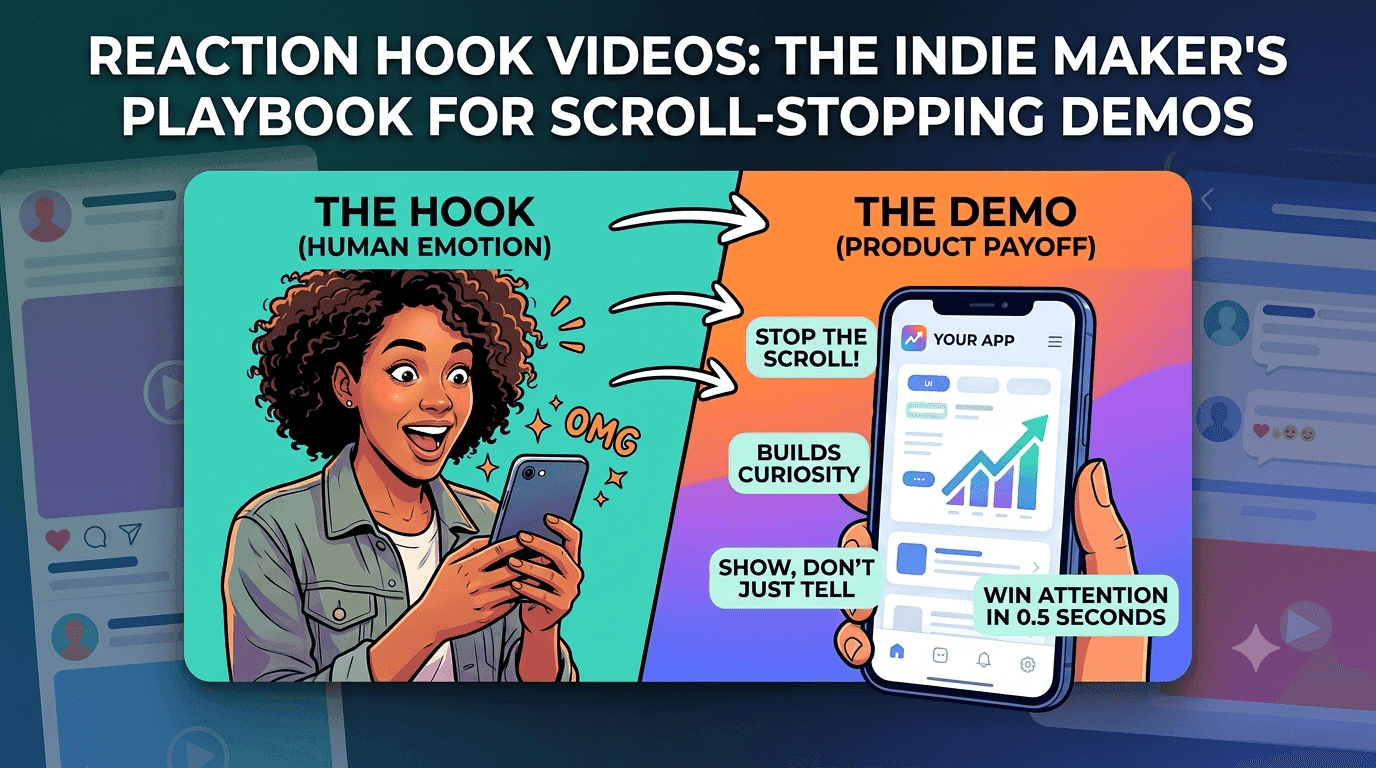
A plain screen recording starts at zero. It shows a stranger an interface they do not recognise and asks them to care on faith. A reaction hook fixes the opening: a person reacts first, with surprise, curiosity or a hot take, and then the video cuts to your product doing the thing that earned the reaction. The hook buys the attention and the demo spends it well.
This is the single highest-leverage change you can make to a faceless video. You keep everything good about a screen recording, the real product doing real things, and you front it with the human moment that short-form feeds reward. We wrote a full breakdown of this in the reaction hook playbook, and it is the core of how Postverse builds UGC videos: a reaction hook spliced onto your demo, captions burned in, no filming.
Use an AI persona as your on-camera face
If a format needs a face but you do not want it to be yours, an AI persona is the answer. A licensed AI actor can deliver the hook straight to camera and be lip-synced to your line, then the clip cuts to your product. The video reads as a real creator reacting to what you built, and you never step in front of a camera or pay talent.
The practical win is repeatability. Once you can generate a presenter on demand, you can make a face fronted video whenever a format calls for one, and keep that face consistent across posts. That is exactly what AI avatars in Postverse are for: a curated library plus the option to generate a custom persona that is yours alone.
Write hooks that stop the scroll without your face
The hook does the heavy lifting, so write it before anything else. A faceless hook still has to land in the first half second, whether it is spoken by an AI persona, shown as text, or narrated over a screen recording. Aim for a specific, human line that creates a small tension the video then resolves.
Reach for patterns that work regardless of who says them. A surprised reaction to a result, a contrarian take on how people usually do the task, or a direct promise of the payoff all pull attention forward. Avoid slow setups and branded intros, which give viewers a reason to swipe before the value arrives. Write five hook variations for every video and let the format carry whichever fits, because the hook is the variable that most decides whether the post works.
Ship a week of faceless videos in an afternoon
Volume beats perfection in short-form, so build a workflow that lets you batch. Record one clip of your product, then generate several videos from it by pairing it with different hooks, personas and captions. One upload becomes a week of distinct posts rather than a single video you agonise over.
The last step is distribution, and it should be as fast as the creation. Instead of exporting files and re-uploading them by hand, schedule the whole batch to TikTok, Instagram Reels and YouTube Shorts from one place. That is the point of built-in scheduling in Postverse: the videos you generate land straight in a calendar and publish natively, so a faceless content habit takes an afternoon a week, not every evening. When you are ready to try it, you can start free with no card.
FAQ
Do faceless UGC videos actually perform as well as face videos?
Yes, when the hook is strong. Short-form algorithms reward watch time and completion, which come from a compelling opening and a clear payoff, not from a visible face. Many top-performing accounts are entirely faceless, using screen recordings, AI personas and text hooks.
What is the easiest faceless format to start with?
A screen recording with a reaction hook. You capture your product doing something useful, then front it with a human reaction that stops the scroll. It keeps the substance of a demo and adds the opening that short-form feeds reward, without any filming.
Are AI personas allowed on TikTok and Instagram?
Using an AI presenter to front your own content is a common, accepted practice, provided the content is not deceptive about who or what it is. Keep your videos honest about your product, and use licensed AI actors so there are no talent or rights issues.
How many videos can I make from one product clip?
As many as you like. By pairing one clip with different hooks, personas and captions, a single upload becomes a full batch of distinct videos. That is how faceless creators keep a daily posting habit without recording something new every day.
Make faceless UGC videos in minutes
Upload one clip of your product, add an AI reaction hook, and schedule it everywhere. No camera, no editing.